
标签:splay 分享 ddl 垂直 for play 垂直居中 display ott
一:.怎样让图片左右上下居中
1.table-cell
html
<div class="con">
        <img src="left.png" >
</div>
css
.con{
           width: 200px;
           height: 200px;
           border: 1px solid #ccc;
           /* 让图片左右居中 */
           text-align: center;
           /* 让图片上下垂直居中 */
           vertical-align: middle;
           display: table-cell;
       }
2.position+margin
html
    <div class="con2">
        <img src="left.png" >
    </div>
css
        .con2{
            width: 200px;
            height: 200px;
            border:1px solid #ccc;
            position: relative;
        }
        .con2 img{
            position: absolute;
            left:0;
            top:0;
            bottom:0;
            right:0;
            margin: auto;
        }
3.position+transform
html
    <div class="con3">
        <img src="left.png" >
    </div>
css
        .con3{
            width: 200px;
            height: 200px;
            border:1px solid #ccc;
            position: relative;
        }
        .con3 img{
            position: absolute;
            left:50%;
            top:50%;
            transform: translate(-50%,-50%);
        }
4.display:box
html和上面的一样
css
        .con4 {
            display:box;
            display:-webkit-box;
            -webkit-box-align: center;
            -webkit-box-pack: center;
        }
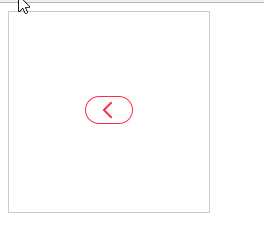
效果图:
二:文字行数不确定,在父级垂直居中
html
    <div>
        <p class="wen">
            <span>你是谁为了谁我的箱底姐妹,啦啦啦,黑猫警长,不要问我从哪里来我的故乡在运你是谁为了谁我的箱底姐妹,啦啦啦,黑猫警长,不要问我从哪里来我的故乡在运放放</span>
        </p>
    </div>
css
 .wen{
            width: 400px;
            height: 200px;
            border: 1px solid red;
            font-size: 20px;
            display: table-cell;
            vertical-align: middle;
        }
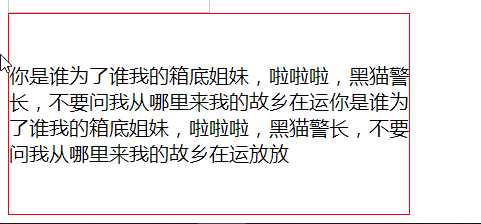
效果图:
标签:splay 分享 ddl 垂直 for play 垂直居中 display ott
原文地址:http://www.cnblogs.com/SunShineM/p/7723287.html
