
puppet的默认资源
默认资源可以为资源初始化属性和值,通常默认资源声明在site.pp文件首部,代码如下:
[root@sh-web1 ~]# cat site.pp
Exec { path => ‘/usr/bin:/bin:/usr/sbin:/sbin‘}
声明默认资源注意事项如下:
1、声明默认资源时首字母需要大写,如exec声明默认资源Exec、package声明默认资源Package等.
2、如果声明资源有一个名称空间资源"::",它的每个环节都需要首字母大写,如Concat::Fragment.
Exec默认资源的声明方法如下:
Exec { path => ‘/usr/bin:/bin:/usr/sbin:/sbin‘}通过Exec默认资源声明path属性的环境变量值,在后续声明exec资源时可以直接调用系统命令而不用担心环境变量的问题.
Package {provider => ‘rpm‘} #Package首字母大写
package {"nginx":}
在默认资源中声明provider属性,指定包的安装方式为rpm,后续package资源中provider属性均为rpm.
puppet虚拟化资源
虚拟化资源与普通资源的区别,虚拟化资源定以后要先实例化再使用,而普通资源定义后直接可以使用,定义虚拟化资源的方法是在资源前追加@,如@user,这时的user资源就是一个虚拟化资源.在代码文件中将资源转换为虚拟资源后,puppet在执行的时候并不会调用它,如果想执行,需要通过realize函数或者"<||>"来实例化一个虚拟资源.
示例一:
希望在本机只创建test用户.
创建用户的puppet代码如下:
class user {
        @user {"ops":
                ensure => present,
                home => ‘/data/home/ops‘,
                shell => ‘/bin/bash‘,
        }
        @user {"test":
                ensure => present,
                home => ‘/data/home/test‘,
                shell => ‘/bin/bash‘,
        }
}
node节点调用:
node base {
    include admin
}
node /sh-(proxy|web)\d+/  inherits base {
case $::hostname {
    /sh-proxy\d+/: {
         include nginx
      }
     "sh-web1": {
        include user
        realize (User[‘test‘])
        }
    }
}
注意:如果是普通资源的话include user时应该是上面定义的2个用户都被创建,但是定义为虚拟资源时realize实例化只创建了1个用户.
puppet运行的结果:
[root@sh-web1 ~]# puppet agent -t
Notice: Ignoring --listen on onetime run
Info: Retrieving pluginfacts
Info: Retrieving plugin
Info: Loading facts
Info: Caching catalog for sh-web1.localdomain
Info: Applying configuration version ‘1509554205‘
Notice: /Stage[main]/User/User[test]/ensure: created
Notice: /Stage[main]/Admin/Exec[selinux]/returns: executed successfully
Notice: Finished catalog run in 0.22 seconds
[root@sh-web1 ~]# cat /etc/passwd | grep test
test:x:502:502::/data/home/test:/bin/bash
[root@sh-web1 ~]# cat /etc/passwd | grep ops
示例二:
安装nginx:
init.pp文件.
class nginx {
 include app::nginx
 include web::nginx
}
app.pp文件.
class app::nginx {
    package {"nginx":
    ensure => ‘present‘,
    }
}
web.pp文件.
class web::nginx {
    package {"nginx":
    ensure => ‘present‘,
    }
}
node节点引用:
node base {
    include admin
}
node /sh-(proxy|web)\d+/  inherits base {
    case $::hostname {
        /sh-proxy\d+/: {
            # include nginx
          }
         "sh-web1": {
             include nginx
            }
        }
}
puppet 更新:
[root@sh-web1 ~]# puppet agent -t
Notice: Ignoring --listen on onetime run
Info: Retrieving pluginfacts
Info: Retrieving plugin
Info: Loading facts
Error: Could not retrieve catalog from remote server: Error 400 on SERVER: Duplicate declaration: Package[nginx] is already declared in file /etc/puppet/modules/nginx/manifests/app.pp:4; cannot redeclare at /etc/puppet/modules/nginx/manifests/web.pp:4 on node sh-web1.localdomain
Warning: Not using cache on failed catalog
Error: Could not retrieve catalog; skipping run
注释:报错资源重复定义.
解决方案:使用虚拟资源定义解决:
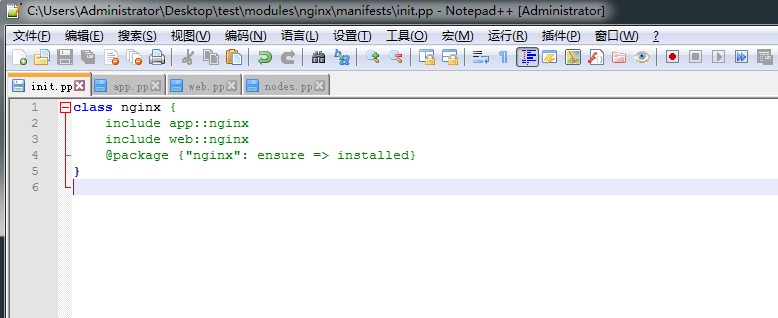
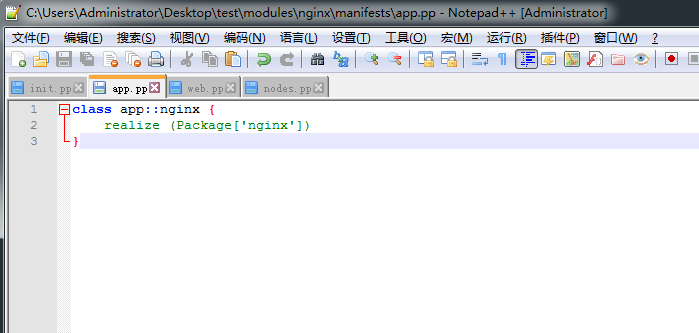
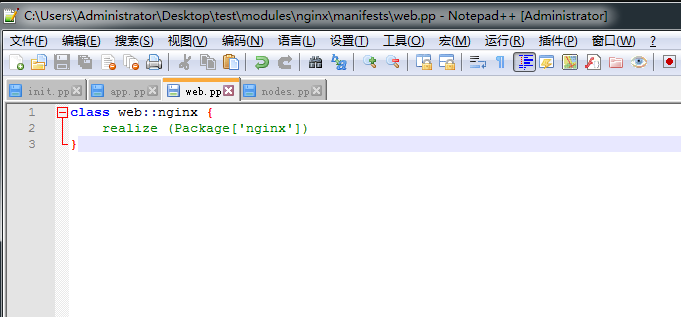
nginx模块下init.pp文件、app.pp文件、web.pp文件内容:
class nginx {
    include app::nginx
    include web::nginx
    @package {"nginx": ensure => installed}
}
class app::nginx {
    realize (Package[‘nginx‘])
}
class web::nginx {
    realize (Package[‘nginx‘])
}
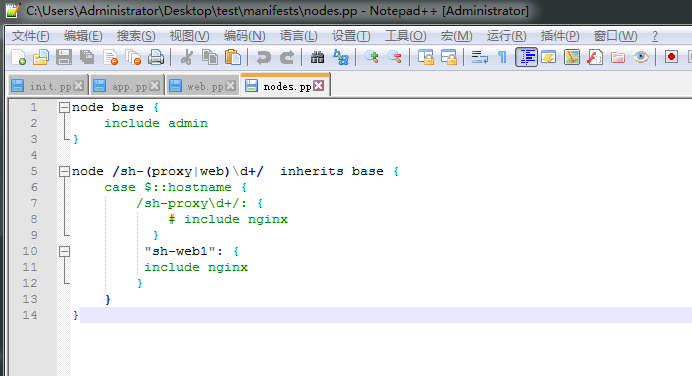
node节点引用:
node base {
include admin
}
node /sh-(proxy|web)\d+/  inherits base {
    case $::hostname {
        /sh-proxy\d+/: {
            # include nginx
          }
     "sh-web1": {
             include nginx
        }
        }
}
puppet agent端更新:
[root@sh-web1 ~]# puppet agent -t
Notice: Ignoring --listen on onetime run
Info: Retrieving pluginfacts
Info: Retrieving plugin
Info: Loading facts
Info: Caching catalog for sh-web1.localdomain
Info: Applying configuration version ‘1509555656‘
Notice: /Stage[main]/Admin/Exec[selinux]/returns: executed successfully
Notice: /Stage[main]/Nginx/Package[nginx]/ensure: created
Notice: Finished catalog run in 4.02 seconds
注释:适用于多版本的nginx定义.
示例三:
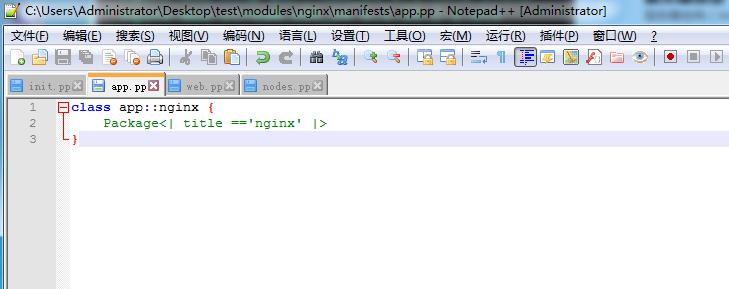
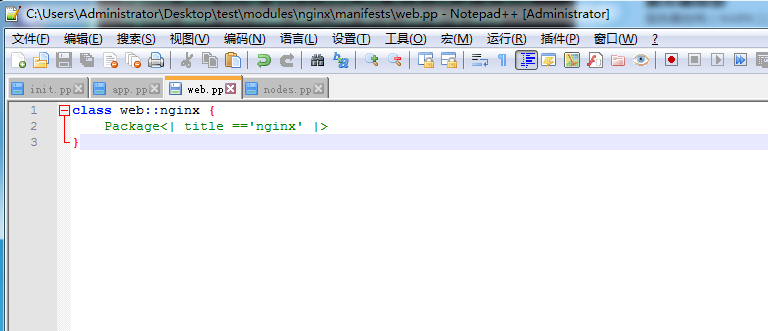
实例化一个虚拟资源除了系统提供的realize函数外,还可以用"<||>".
安装nginx为例:
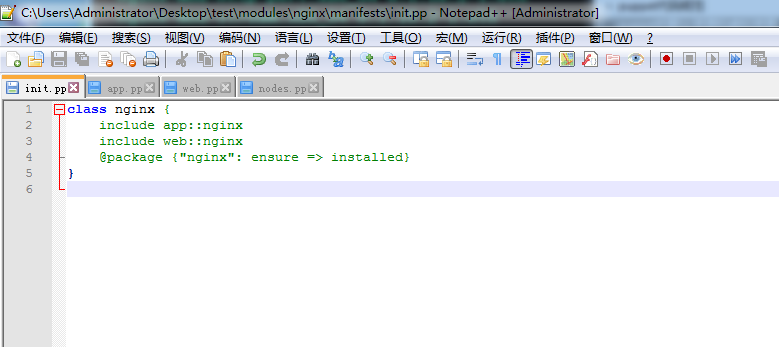
nginx模块下的init.pp文件.
class nginx {
    include app::nginx
    include web::nginx
    @package {"nginx": ensure => installed}
}
nginx模块下的app.pp文件.
class app::nginx {
    Package<| title ==‘nginx‘ |>
}
nginx模板下的web.pp文件.
class web::nginx {
    Package<| title ==‘nginx‘ |>
}
node节点文件node.pp文件.
node base {
    include admin
}
node /sh-(proxy|web)\d+/  inherits base {
    case $::hostname {
        /sh-proxy\d+/: {
            # include nginx
          }
         "sh-web1": {
         include nginx
            }
        }
}
puppet agent端更新:
[root@sh-web1 ~]# puppet agent -t
Notice: Ignoring --listen on onetime run
Info: Retrieving pluginfacts
Info: Retrieving plugin
Info: Loading facts
Info: Caching catalog for sh-web1.localdomain
Info: Applying configuration version ‘1509704319‘
Notice: /Stage[main]/Admin/Exec[selinux]/returns: executed successfully
Notice: /Stage[main]/Nginx/Package[nginx]/ensure: created
Notice: Finished catalog run in 9.20 seconds
[root@sh-web1 ~]# rpm -qa nginx
nginx-1.10.2-1.el6.x86_64
原文地址:http://215687833.blog.51cto.com/6724358/1978724
