
标签:highlight entry char bmp com 根据 文件中 mpi 增加
一:在webpack中使用vue
1.安装vue的包

2.index.html
<!DOCTYPE html>
<html lang="en">
<head>
    <meta charset="UTF-8">
    <meta name="viewport" content="width=device-width, initial-scale=1.0">
    <meta http-equiv="X-UA-Compatible" content="ie=edge">
    <title>Document</title>
</head>
<body>
    <div id="app">
        <p>{{msg}}</p>
    </div>
</body>
</html>
3.main.js
// js的主要入口
console.log("ok")

// import Vue from ‘../node_modules/vue/dist/vue.js‘
import Vue from ‘vue‘

var vue = new Vue({
    el:‘#app‘,
    data:{
        msg:‘123‘
    }

})
4.运行
将会报错
vue.runtime.esm.js:620 [Vue warn]: You are using the runtime-only build of Vue where the template compiler is not available. Either pre-compile the templates into render functions, or use the compiler-included build.
(found in <Root>)
5.原因
包的查找规则:
1. 找 项目根目录中有没有 node_modules 的文件夹
2. 在 node_modules 中 根据包名,找对应的 vue 文件夹
3. 在 vue 文件夹中,找 一个叫做 package.json 的包配置文件
4. 在 package.json 文件中,查找 一个 main 属性【main属性指定了这个包在被加载时候,的入口文件】
6.第一种处理方式
引用具体的包路径
import Vue from ‘../node_modules/vue/dist/vue.js‘
7.第二种方式
在webpack.config.js中加一个节点resolve
const path = require(‘path‘);

const htmlWebpackPlugin = require(‘html-webpack-plugin‘)

module.exports = {
    entry:path.join(__dirname,‘./src/main.js‘),
    output:{
        path:path.join(__dirname,‘./dist‘),
        filename:‘bundle.js‘
    },

    plugins:[
        new htmlWebpackPlugin({
            template:path.join(__dirname,‘./src/index.html‘),
            filename:‘index.html‘
        })
    ],

    // 用于配置所有的第三方模块加载器
    module:{
        //匹配规则
        rules:[
            {test:/\.css$/,use:[‘style-loader‘,‘css-loader‘]},  //正则
            {test:/\.less$/,use:[‘style-loader‘,‘css-loader‘,‘less-loader‘]},  //依次往前处理
            {test:/\.(jpg|png|bmp|jpeg)$/,use: ‘url-loader?limit=983&name=[hash:9]-[name].[ext]‘},
            { test: /\.(ttf|eot|svg|woff|woff2)$/, use: ‘url-loader‘ },// 处理 字体文件的 loader
            { test: /\.js$/, use: ‘babel-loader‘, exclude: /node_modules/ }, // 配置 Babel 来转换高级的ES语法
        ]
    },
    resolve:{
        alias:{
            ‘vue$‘:‘vue/dist/vue.js‘
        }
    }

}
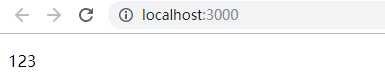
8.效果
二:使用webpack指定的vue处理模板
1.说明
因为webpack推荐使用.vue这个模板文件定义的组件,所以,这里继续使用webpack指定的vue
2.在src下新建login.vue
<template>
  <div>
    <h1>这是登录组件,使用 .vue 文件定义出来的 --- {{msg}}</h1>
  </div>
</template>

<script>

</script>

<style>

</style>
3.安装
cnpm i vue-loader vue-template-compiler -D
4.在webpack.config.js中增加规则
const path = require(‘path‘);

const htmlWebpackPlugin = require(‘html-webpack-plugin‘)

module.exports = {
    entry:path.join(__dirname,‘./src/main.js‘),
    output:{
        path:path.join(__dirname,‘./dist‘),
        filename:‘bundle.js‘
    },

    plugins:[
        new htmlWebpackPlugin({
            template:path.join(__dirname,‘./src/index.html‘),
            filename:‘index.html‘
        })
    ],

    // 用于配置所有的第三方模块加载器
    module:{
        //匹配规则
        rules:[
            {test:/\.css$/,use:[‘style-loader‘,‘css-loader‘]},  //正则
            {test:/\.less$/,use:[‘style-loader‘,‘css-loader‘,‘less-loader‘]},  //依次往前处理
            {test:/\.(jpg|png|bmp|jpeg)$/,use: ‘url-loader?limit=983&name=[hash:9]-[name].[ext]‘},
            { test: /\.(ttf|eot|svg|woff|woff2)$/, use: ‘url-loader‘ },// 处理 字体文件的 loader
            { test: /\.js$/, use: ‘babel-loader‘, exclude: /node_modules/ }, // 配置 Babel 来转换高级的ES语法
            { test: /\.vue$/, use: ‘vue-loader‘ } // 处理 .vue 文件的 loader
        ]
    },
    resolve:{
        alias:{
            // ‘vue$‘:‘vue/dist/vue.js‘
        }
    }

}
5.
标签:highlight entry char bmp com 根据 文件中 mpi 增加
原文地址:https://www.cnblogs.com/juncaoit/p/11440052.html
