
标签:mic set structure nbsp 技术 module ide jar包 菜单栏
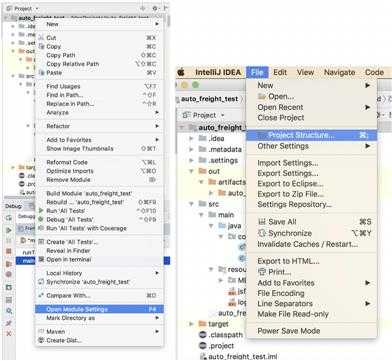
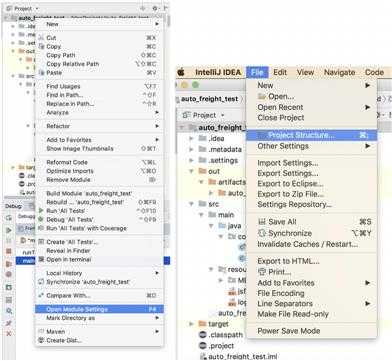
1、右键点击工程,选择open Module Settings或点击File选择Project Structure,进入页面
2、选择Artifacts->JAR->From modules with dependencies
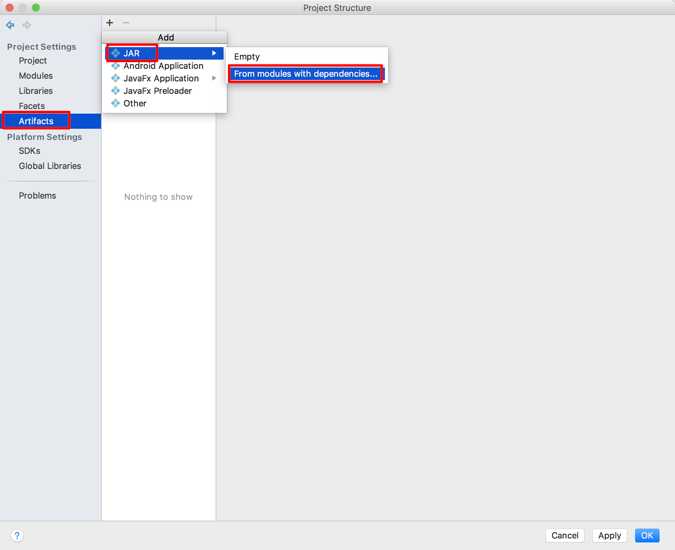
3、弹出对话框
为避免出现“错误: 找不到或无法加载主类 com.jd.freight.dofreight.doFreight”
请按下图步骤打包:
即:
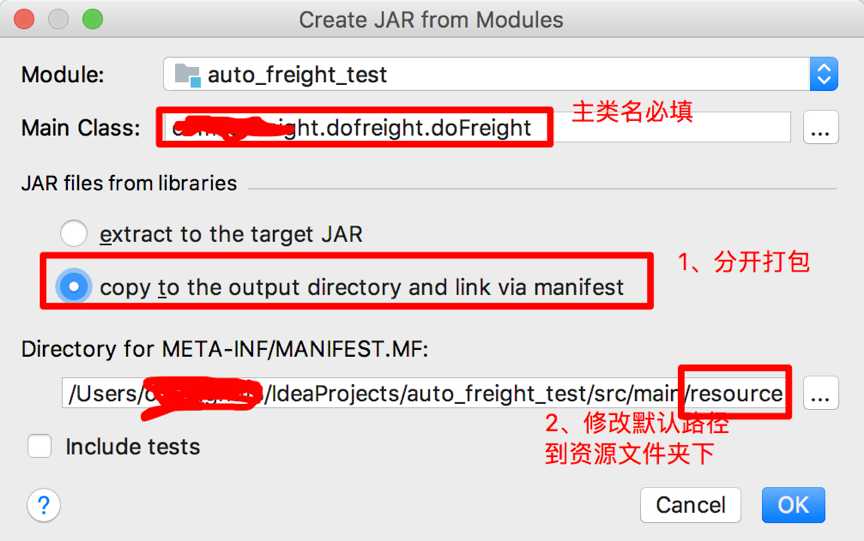
,点击OK,页面显示jar包的输出路径。点击OK,配置完成
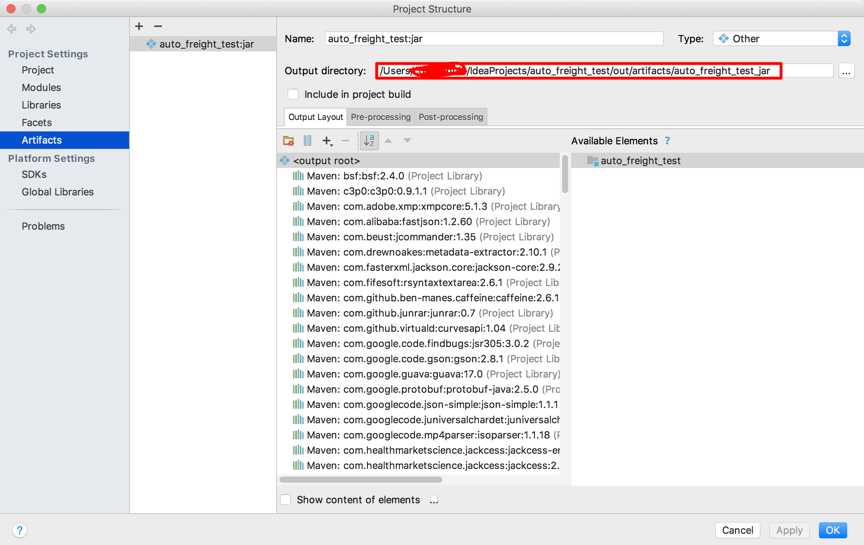
4、在idea菜单栏,点击Build->Build Artifacts
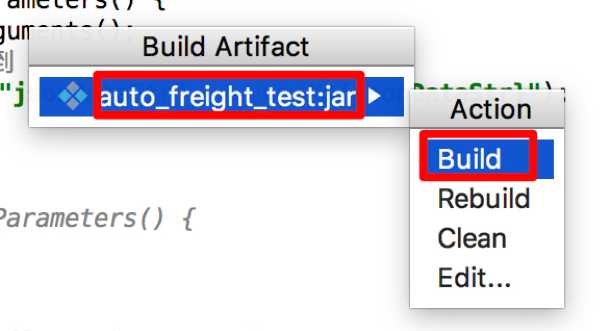
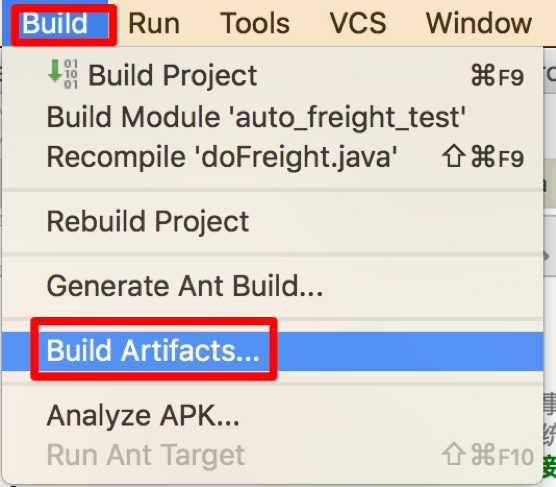 ->
->
5、到指定路径 即可获取jar包
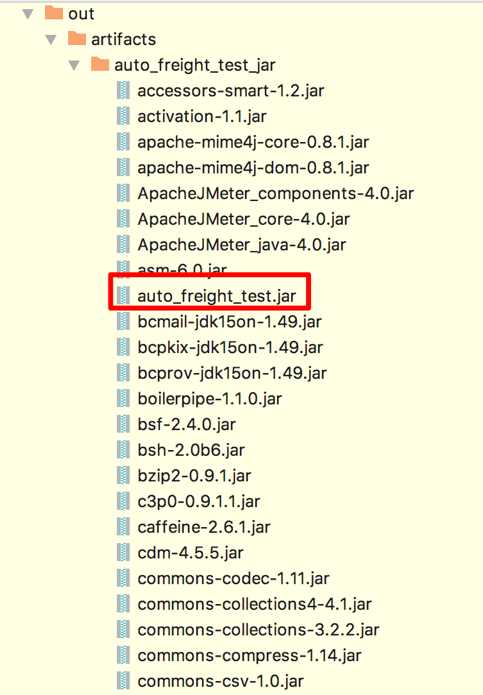
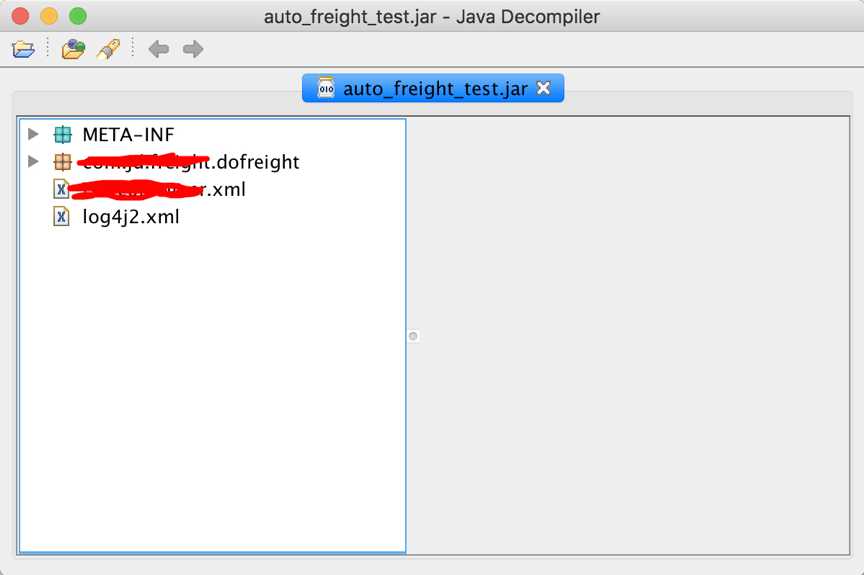
打出的包结构为:
------------------------------------------------------Tanwheey--------------------------------------------------
爱生活,爱工作。
IDEA错误: 找不到或无法加载主类 com.xxx.freight.dofreight.doFreight解决办法
标签:mic set structure nbsp 技术 module ide jar包 菜单栏
原文地址:https://www.cnblogs.com/Tanwheey/p/11699625.html
