
标签:
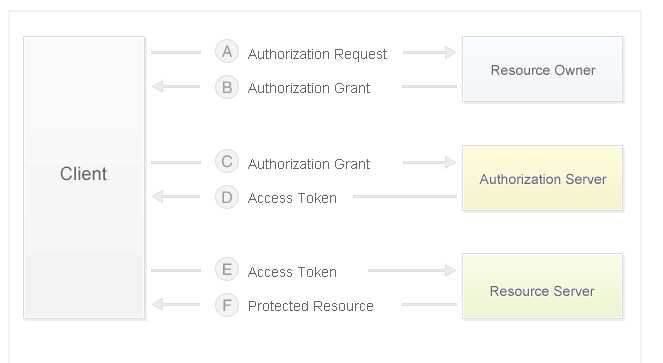
说明:微博开放接口的调用,如发微博、关注等,都是需要获取用户身份认证的。目前微博开放平台用户身份鉴权主要采用的是OAuth2.0。为了方便开发者开发、测试自己的应用。
OAuth2.0较1.0相比,整个授权验证流程更简单更安全,也是未来最主要的用户身份验证和授权方式。
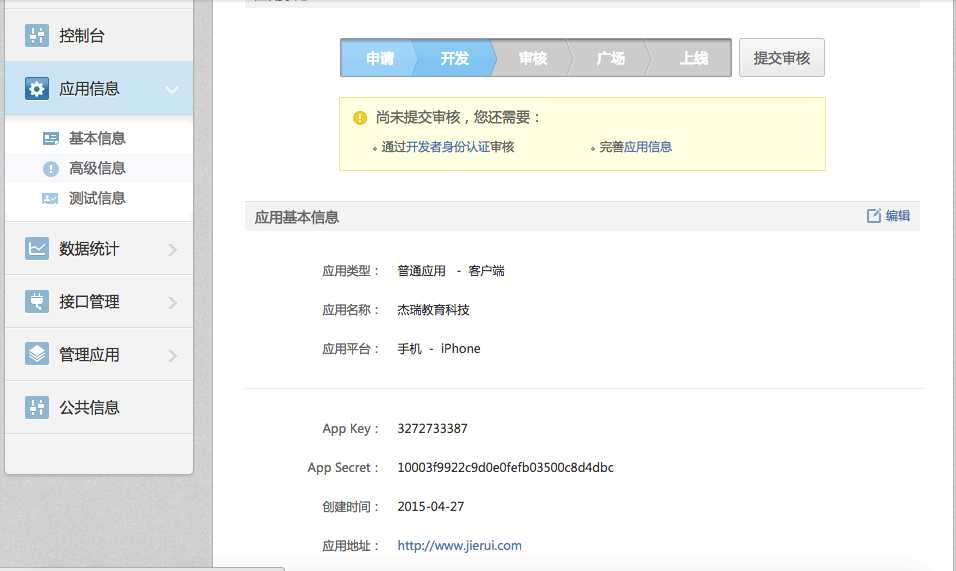
下面我以本公司测试账号为例,创建应用步骤可以参考新浪的官方API 地址:http://open.weibo.com应用创建好停留在开发阶段即可使用,本例的应用信息如下图
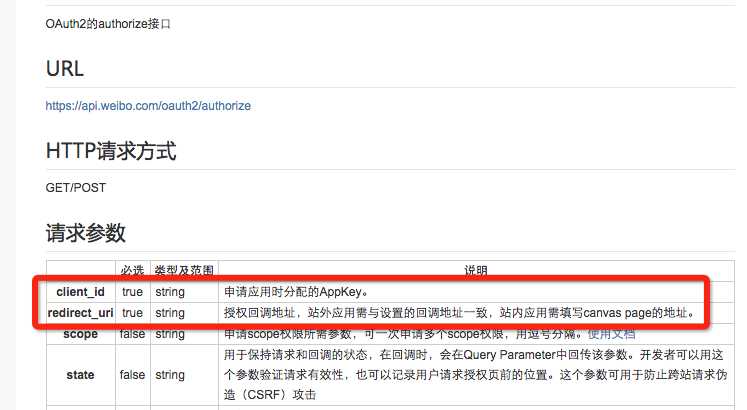
通过webView加载链接其中client_id为应用的app Key, redirect_uri的值为公司跳转链接这里我以本公司链接为例子
UIWebView  * web=[[UIWebView alloc] init]; web.frame=self.view.bounds;
NSString*str=@"https://api.weibo.com/oauth2/authorize?client_id=3272733387&redirect_uri=http://www.21-sun.com";

    NSURL * url=[NSURL URLWithString:str];
    NSURLRequest *request=[NSURLRequest requestWithURL:url];
    [web loadRequest:request];
    [self.view addSubview:web];
web.delegate=self;
效果界面如下,登录完成授权:
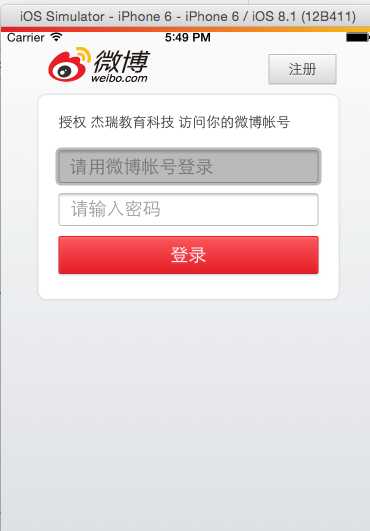
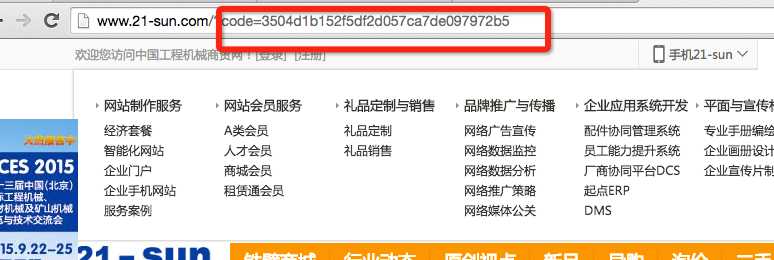
在返回的链接中后面会拼有参数code,此code我们需要备用,如图所示,我们可以通过webView的代理来截取返回链接
#pragma mark - 允许代理加载请求
-(BOOL)webView:(UIWebView *)webView shouldStartLoadWithRequest:(NSURLRequest *)request navigationType:(UIWebViewNavigationType)navigationType{
NSString * str=request.URL.absoluteString;
if([str containsString:@"http://www.21-sun.com/?code="]){
     NSInteger index=[str rangeOfString:@"="].location;
        NSString * code=[str substringFromIndex:index+1];
        return NO;
 }
return YES;
}
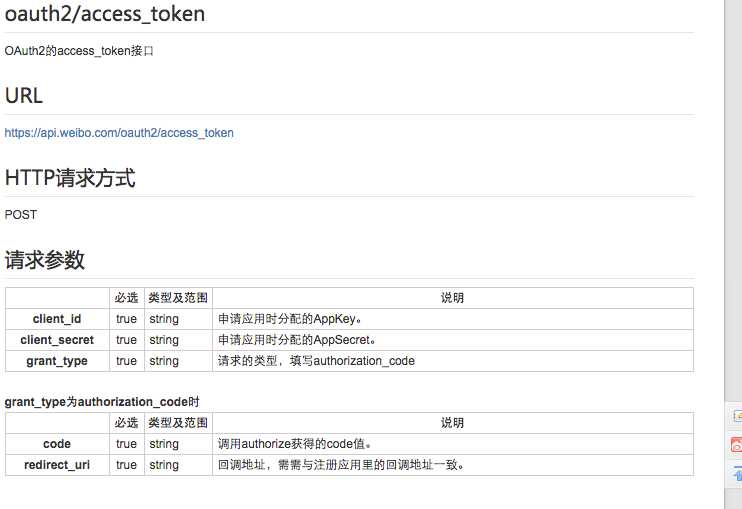
请求access_token,如图所示,采用下面链接请求
//client_id true string 申请应用时分配的AppKey。
//client_secret true string 申请应用时分配的AppSecret。
//grant_type true string 请求的类型,填写authorization_code
//code true string 上面获得的code值。
//redirect_uri true string 回调地址,需需与注册应用里的回调地址一致。
代码如下
- (void)_getToken:(NSString *) code{

    NSDictionary *dic=@{@"client_id":@"3272733387",@"client_secret":@"10003f9922c9d0e0fefb03500c8d4dbc",@"grant_type":@"authorization_code",@"code":data,@"redirect_uri":@"http://www.21-sun.com"};


   AFHTTPRequestOperationManager * manager=[AFHTTPRequestOperationManager manager];  manager.responseSerializer.acceptableContentTypes=[NSSet setWithObject:@"text/plain"];

[manager  POST:@"https://api.weibo.com/oauth2/access_token" parameters:dic success:^(AFHTTPRequestOperation *operation, NSDictionary * responseObject) {

       NSString * token=responseObject[@"access_token"];

} failure:^(AFHTTPRequestOperation *operation, NSError *error) {

NSLog(@"请求失败");

}];

}
此时用我们获取的access_token码就可以做很多事情了。
标签:
原文地址:http://blog.csdn.net/jerehedu/article/details/45695941
